Interactive Dashboard
Use the OpenTUI dashboard for interactive fetch, generate, diff, validate, watch, and endpoint inspection.
Run chowbea-axios with no command and you get an interactive OpenTUI dashboard — fetch, generate, diff, validate, watch, endpoint inspection, the works. The headless CLI (fetch, generate, watch, etc.) is unchanged underneath. The dashboard is a nicer face on the same machinery.
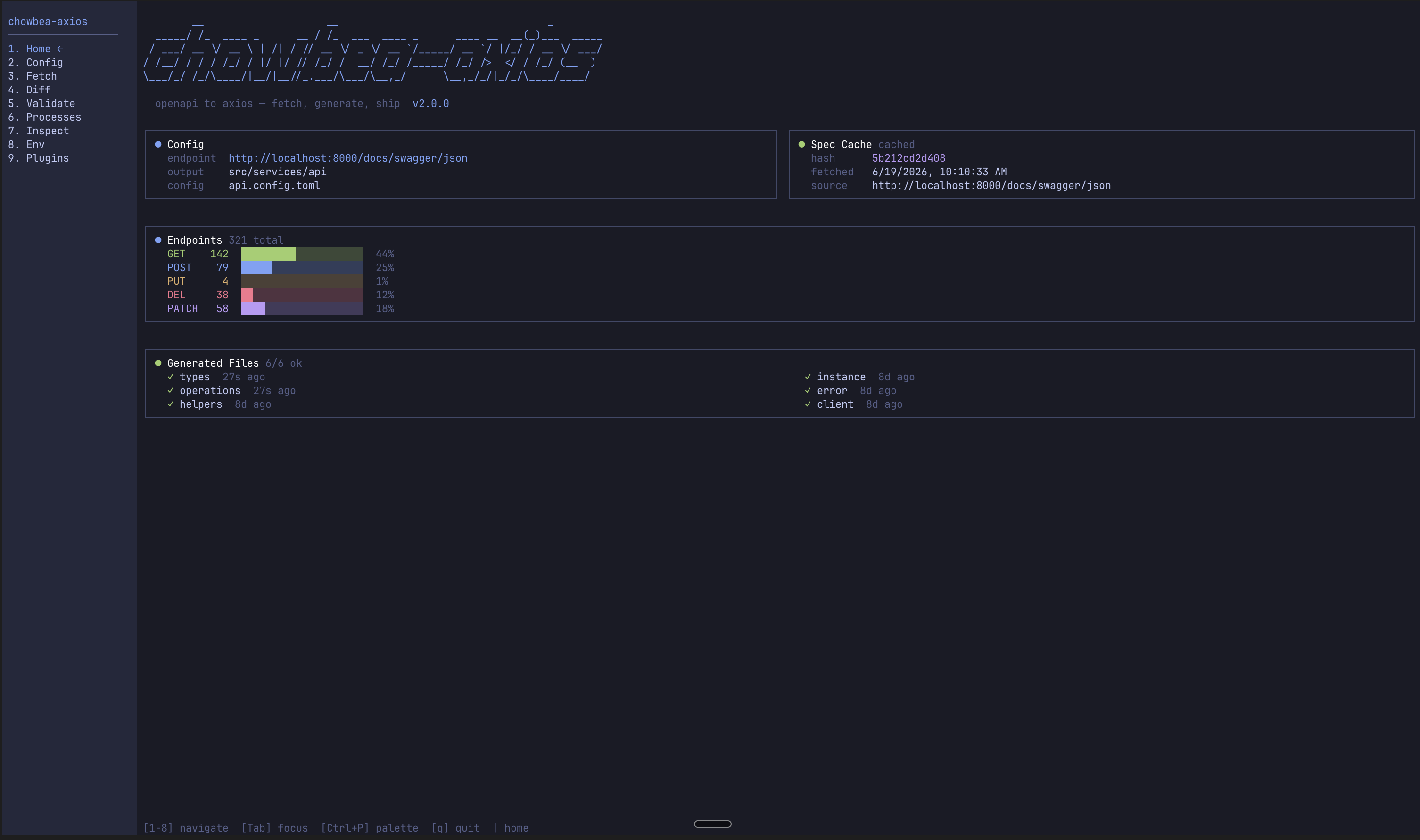
The dashboard is experimental. It works, but it has no automated test coverage today. For CI, scripts, and anything production-adjacent, use the headless commands. That's the surface we guarantee.
Requirements
The dashboard needs Bun — OpenTUI uses terminal features that Node doesn't expose yet. How you invoke the CLI determines what happens:
| Invocation | What happens |
|---|---|
bunx chowbea-axios | Dashboard launches directly. |
npx chowbea-axios (Bun installed) | CLI re-launches itself under Bun automatically. |
npx chowbea-axios (Bun not installed) | Falls back to headless with a hint. |
chowbea-axios --headless | Force headless even when Bun is available. |
| Non-TTY environment (CI, redirected stdin) | Headless mode auto-detected. |
Launching
# Interactive (Bun required)
chowbea-axios

# Force headless
chowbea-axios --headless

# Specific command (always headless)
chowbea-axios fetch
Screens
Nine screens, numbered sidebar. Pick your poison:
| Screen | What it does |
|---|---|
| Home | Project status, spec-cache freshness, endpoint counts by HTTP method. |
| Config | View and edit api.config.toml (endpoint, output, auth, watch). Regenerate client files, refresh npm scripts, or set up the concurrent dev script from here. |
| Fetch / Generate | Trigger fetch or generate, watch log output and result summary. |
| Diff Viewer | Compare cached spec against a new one (remote or local). Adds/removes/changes highlighted. |
| Validation | Run validate, view results grouped by category with severity. |
| Process Runner | Run npm run dev (or any npm script) in side tabs. Built for dev:all-style flows. |
| Endpoint Inspector | Browse cached spec by tag/operation, inspect schemas, build sample requests. |
| Env Manager | Manage env vars referenced in api.config.toml, across environments ($VAR / ${VAR}). |
| Plugins Manager | List and scaffold optional Vite codegen plugins (Surfaces and Side Panels). |
Screenshots (click to zoom):
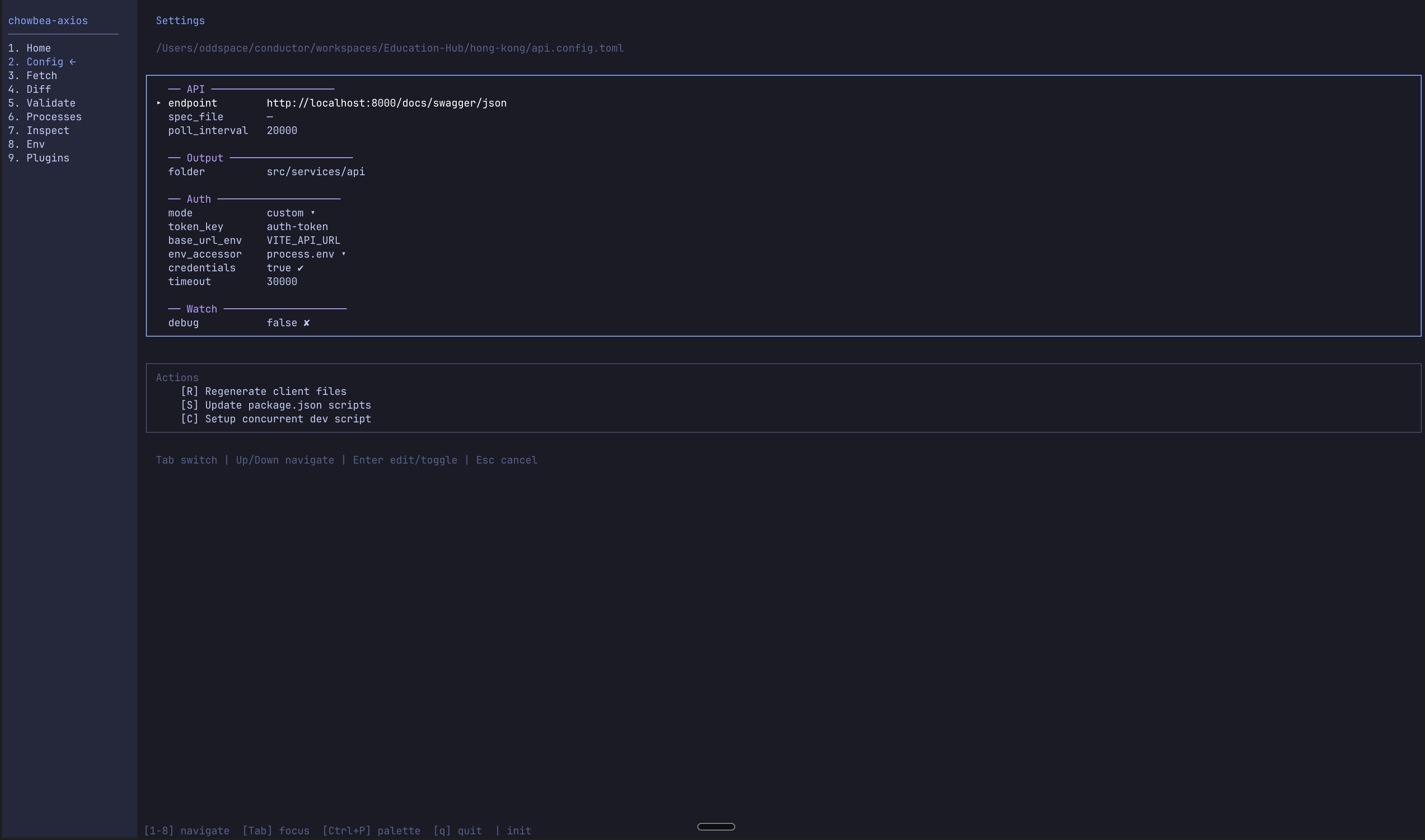 Config — review settings and run post-init actions without leaving the dashboard.
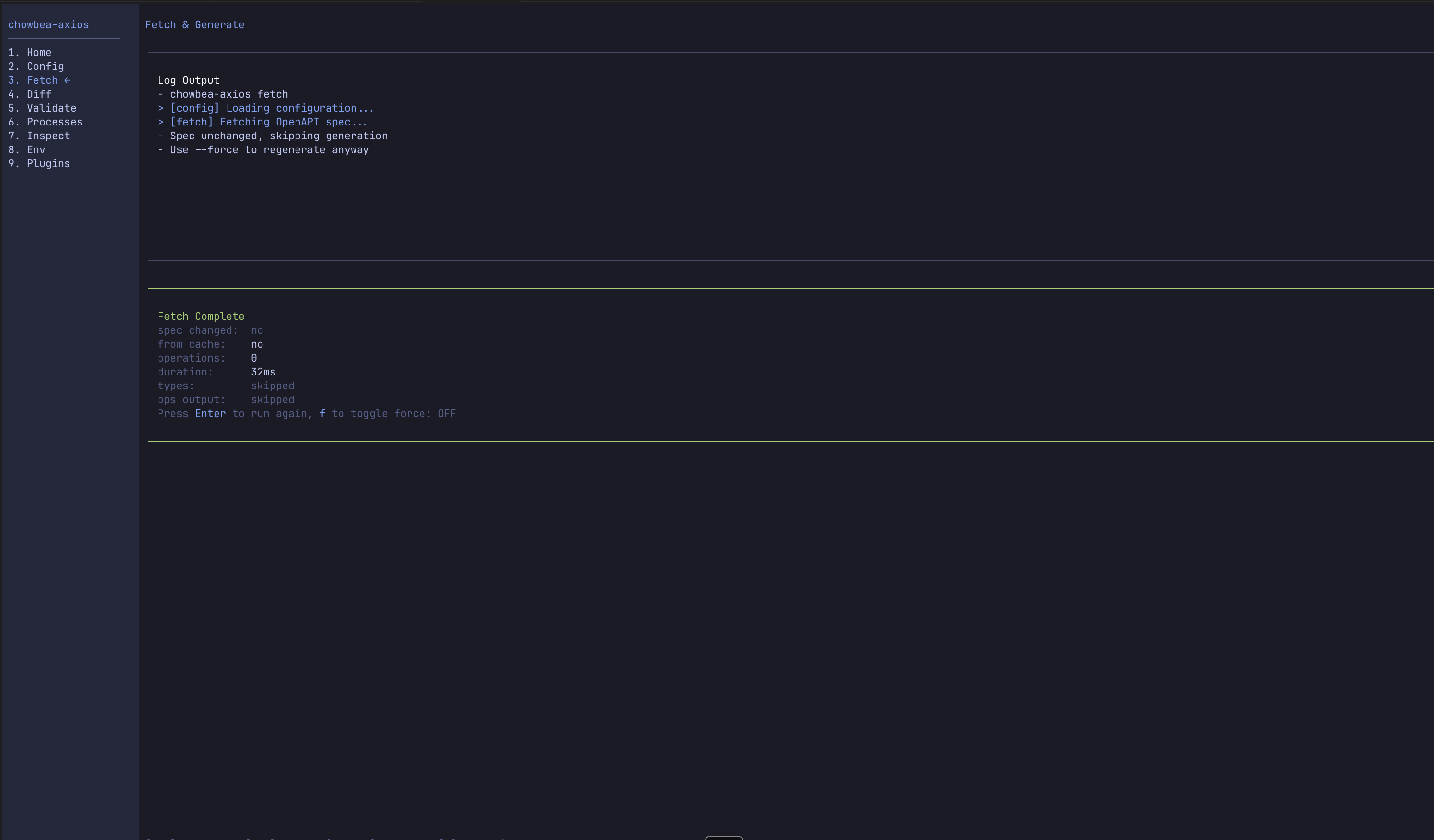 Fetch / Generate — run a cycle, read the result inline (spec changed, operations, duration).
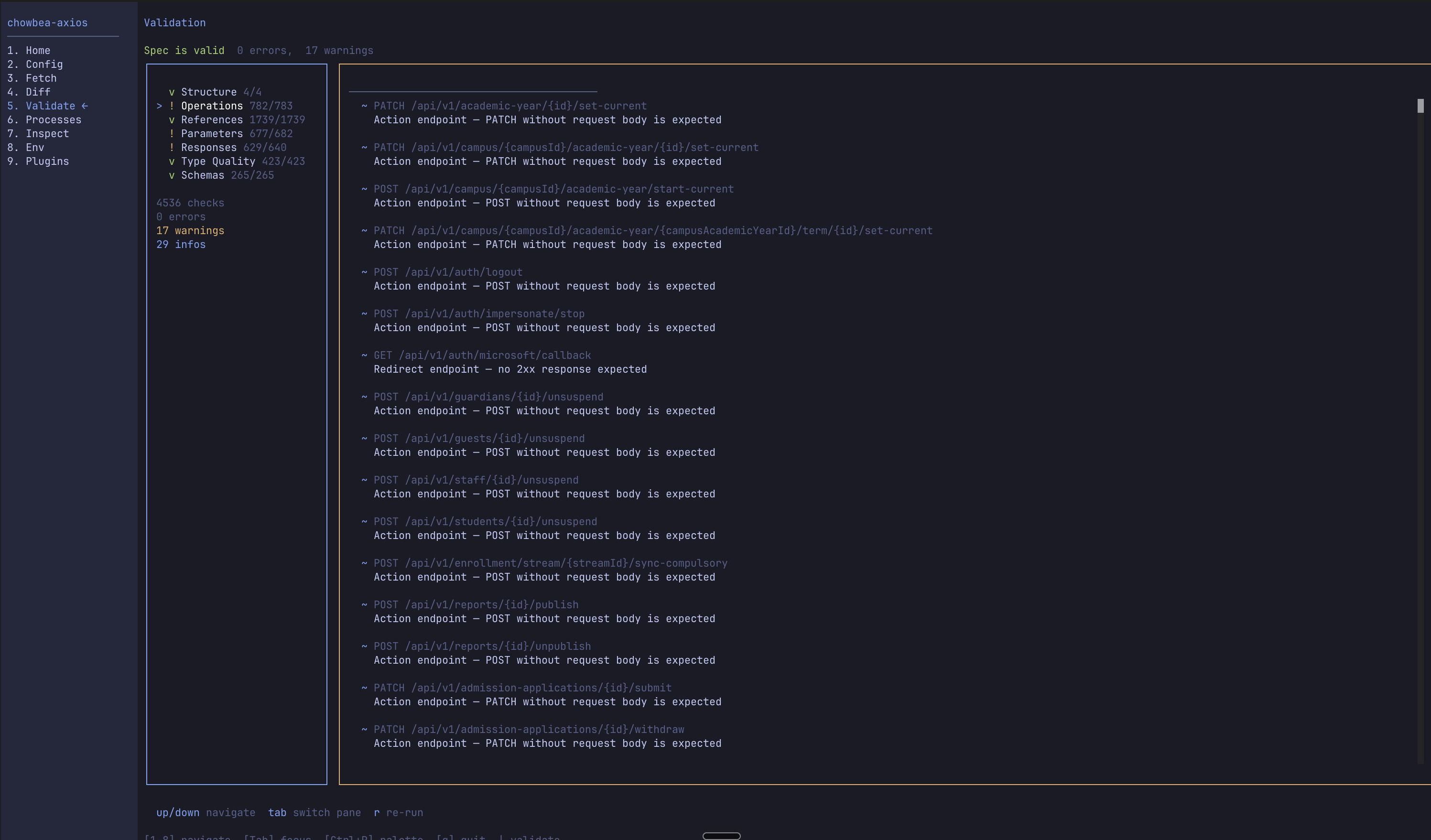 Validation — same seven-category checks as
 chowbea-axios validate, severity-classified.
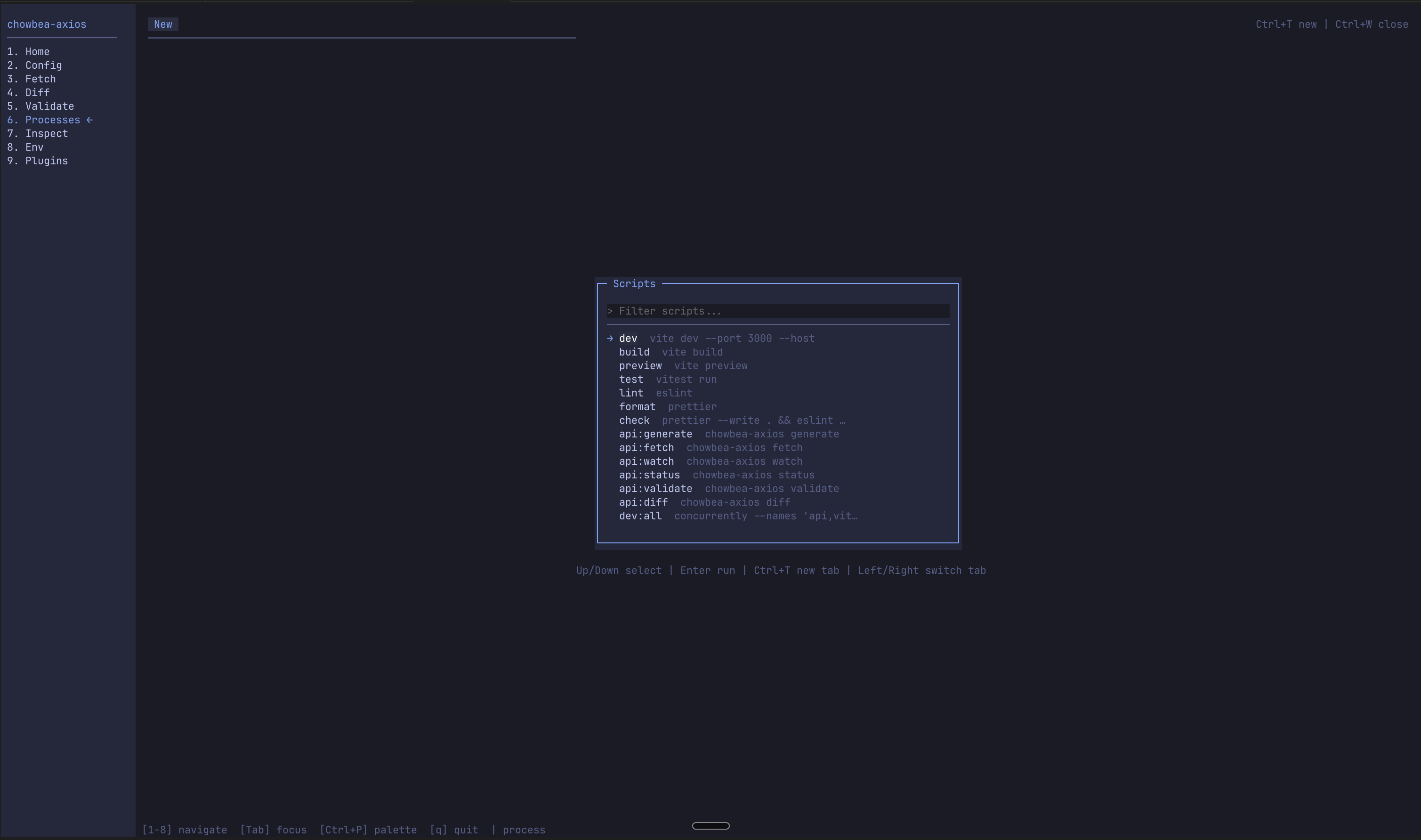 Process Runner — pick any
 package.json script for a side tab…
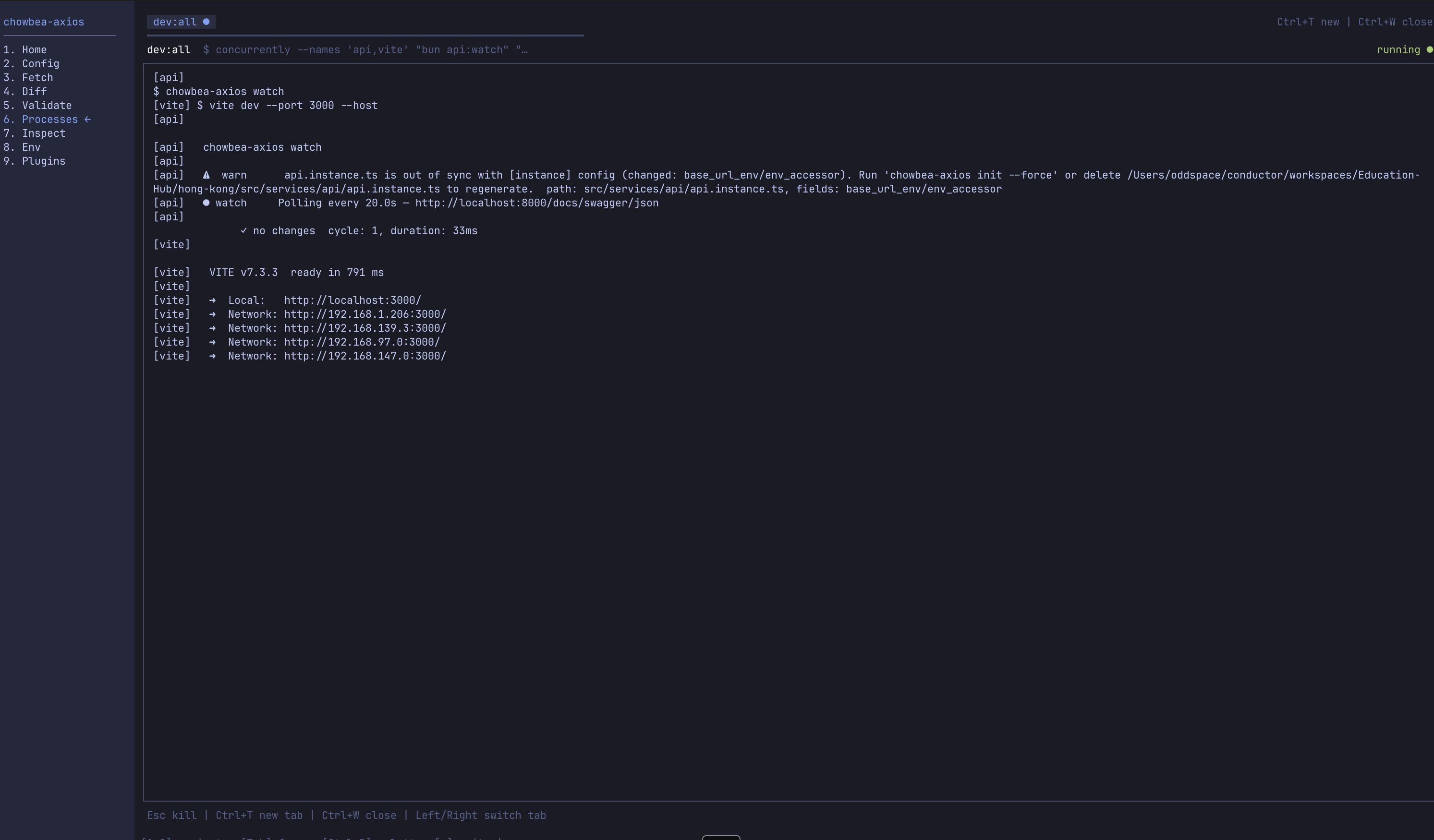 …then watch it run alongside the CLI (
dev:all = watcher + Vite, types stay warm while you break the UI).
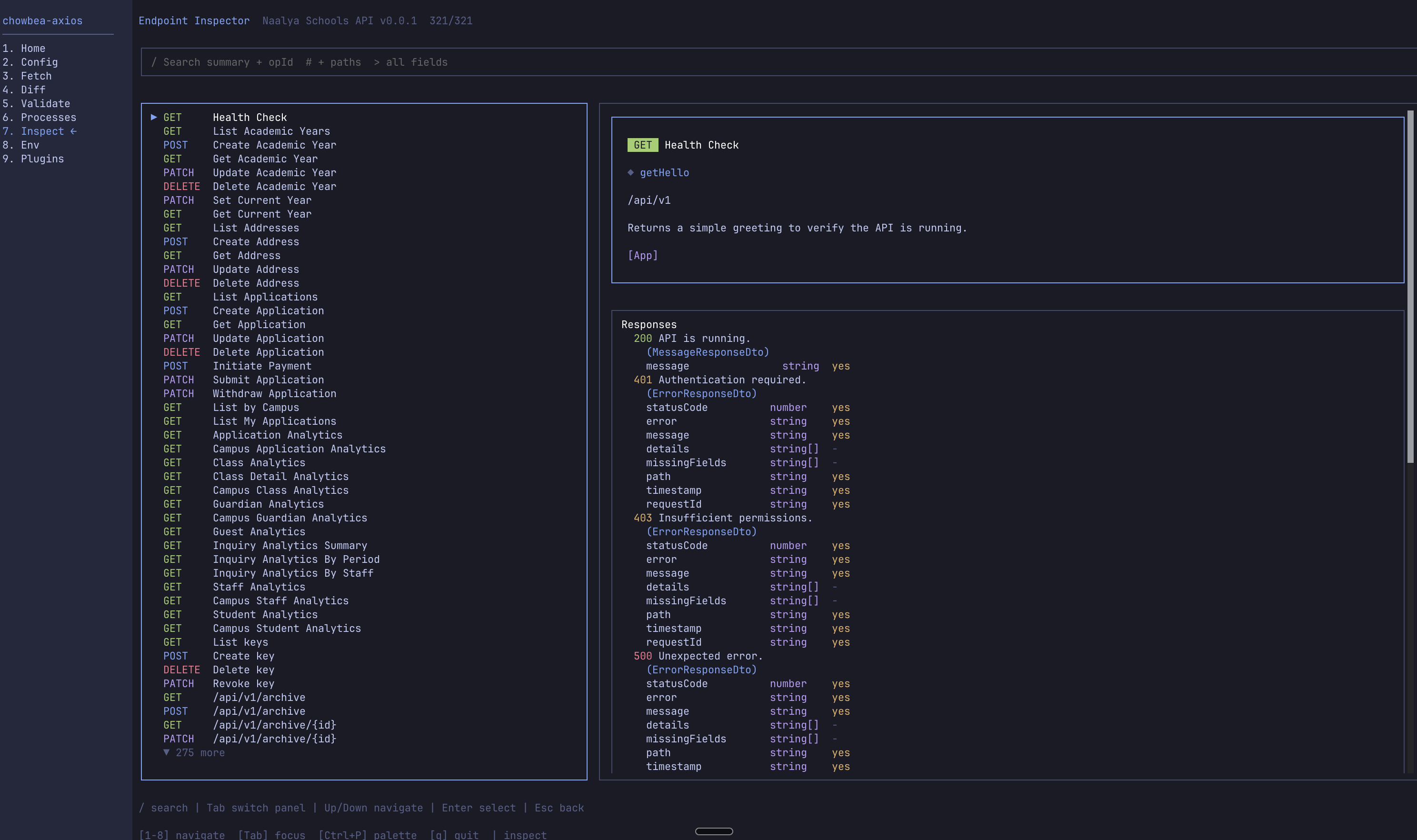 Endpoint Inspector — browse the cached spec, inspect each operation's schemas.
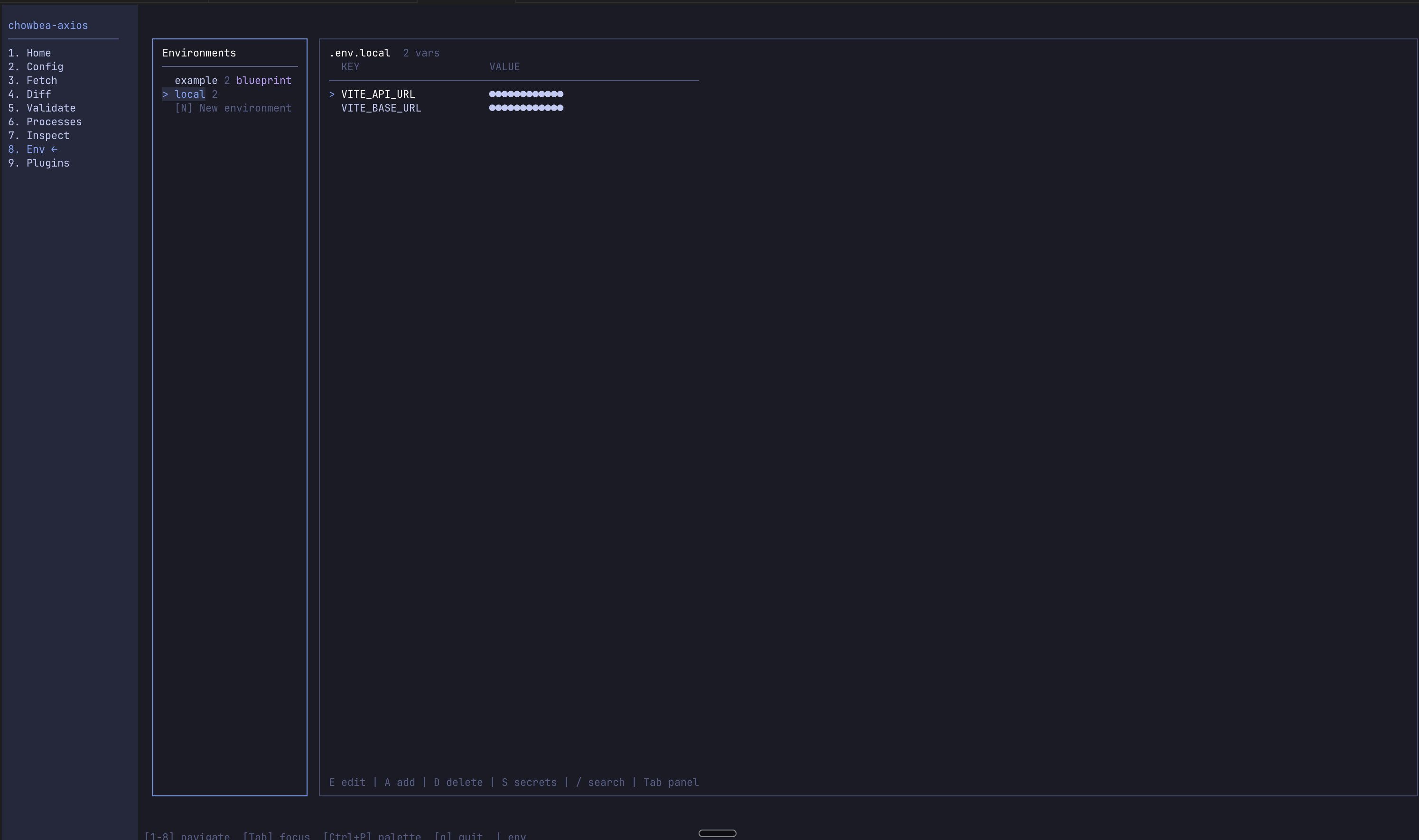 Env Manager — manage config-referenced variables per environment (secrets stay masked).
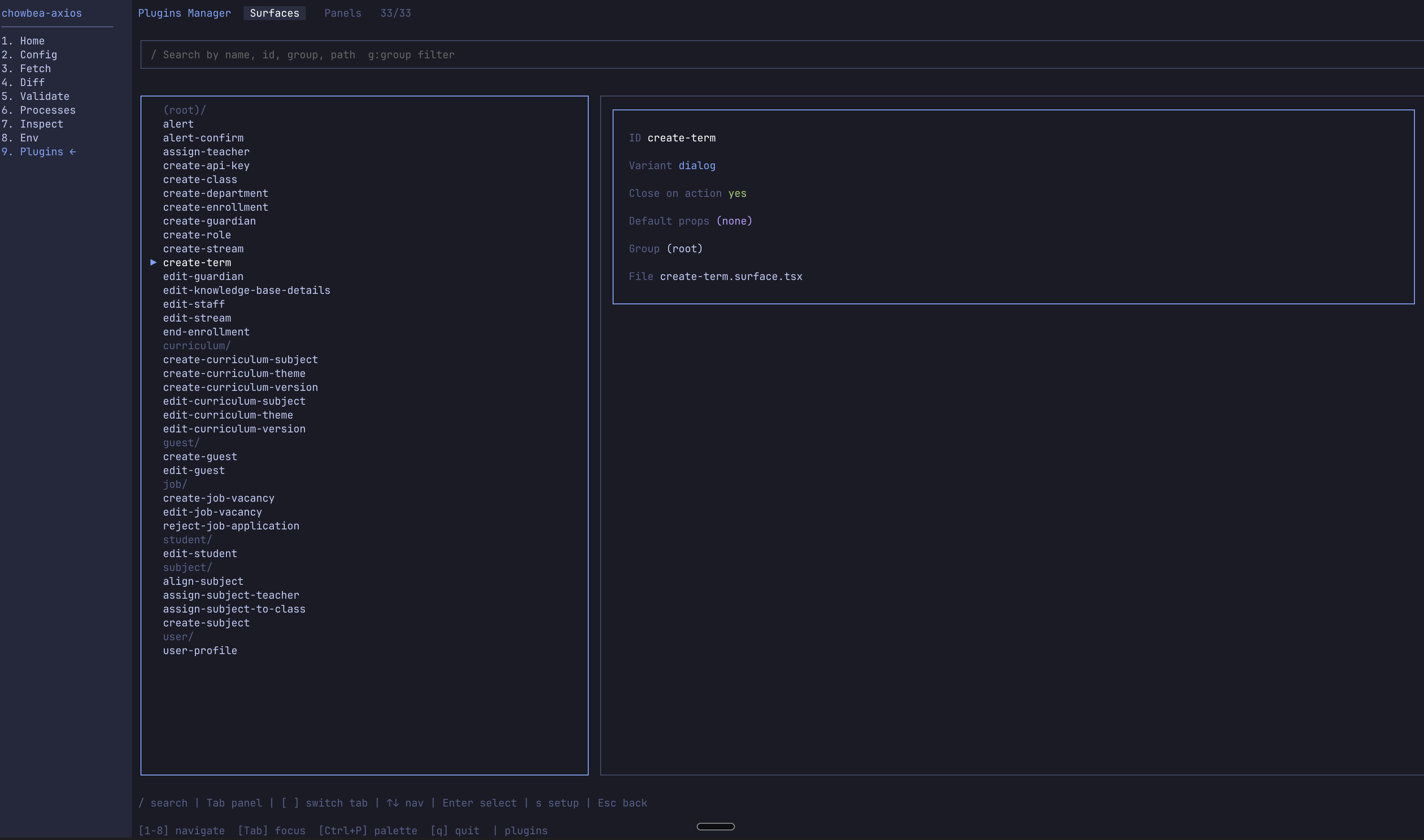 Plugins Manager — browse and scaffold Surfaces and Side Panels (plugins command).
Tabs and the Process Runner
Tabs survive screen navigation. Start a long-running watch in one tab, a dev server in another, switch screens without killing either. Status bar shows running process counts — useful when you've forgotten what's still alive.
Keyboard shortcuts
Command palette everywhere — fuzzy-search any screen or action. Each screen also surfaces context-relevant shortcuts in the status bar. Read them once; forget them until you need them.
Headless equivalents
Everything interactive maps to a scriptable command. Learn the dashboard, then automate the bits you repeat:
| Dashboard screen | Headless command |
|---|---|
| Init Wizard | chowbea-axios init |
| Fetch / Generate | chowbea-axios fetch / chowbea-axios generate |
| Diff Viewer | chowbea-axios diff |
| Validation | chowbea-axios validate |
| Plugins Manager | chowbea-axios plugins (--list, --setup, --add) |
| Endpoint Inspector | (dashboard-only — uses cached spec) |
| Env Manager | (dashboard-only — edits shell/.env) |
| Process Runner | (dashboard-only — npm scripts in side tabs) |
Troubleshooting
Dashboard didn't open. Bun probably isn't installed (bun --version). Saw a "falling back to headless mode" hint? That's why. Install from bun.sh and re-run.
Garbled output. OpenTUI expects ANSI escape sequences and true-color. Alacritty, iTerm2, WezTerm, modern GNOME Terminal, Windows Terminal — all fine. Your circa-2003 terminal emulator is not.